AI at work
Permits wait more than they get reviewed. Here is where the time goes.

Product Marketing, AODocs · Oct 15, 2026
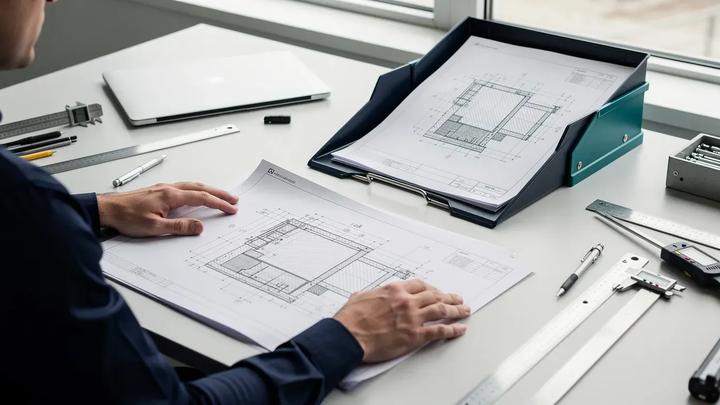
Most of the time a permit application spends in the system is waiting, not review. Here is where that time goes, and which document management capabilities address each source of delay.
What Colorado announced
On August 6, 2026, the Colorado Chamber of Commerce welcomed an executive order from the governor directing state agencies to modernize and streamline permitting for industries the state considers critical to its economic future.
The Chamber described lengthy permitting as a significant source of regulatory complexity, and said it expects many of the order’s initiatives to feature in its 2027 legislative agenda. The Chamber’s release links to the order itself but does not set out specific deadlines, so agencies will be working out the details in the coming months.
Whatever the specifics, the operational question is the same for every agency: how do you shorten a permit decision without weakening the technical review behind it? The answer starts with understanding where the time actually goes.
Why permitting takes so long
A permit decision involves a small amount of expert judgment surrounded by a large amount of document handling. A reviewer needs to assess a set of plans against code. Before that can happen, someone has to confirm the application is complete, find the right documents, route them to the right departments, and keep track of which revision is current.
In the document processes we have worked on, the delay rarely sits in the expert review itself. It accumulates in the gaps between steps: a file waiting for a missing form, a plan set waiting for a second department, a resubmission waiting for someone to notice it arrived. Each gap is small. Together they set the calendar.
This is also why adding people to the review queue often helps less than expected. If reviewers spend part of their day checking files that are not ready, more reviewers means more people doing the same checking.
Six bottlenecks account for most of these gaps. Each has a document management answer, and each answer is a specific mechanism rather than a general promise of speed.
Bottleneck 1: applications arrive incomplete
Staff open a submission, discover a missing site plan or an unsigned form, and write to the applicant. The applicant learns about the problem days after submitting. The review clock has been running, but no review has happened.
Automated intake checks move that discovery to the moment of submission. The system compares the package against the configured requirements for that permit type, classifies each uploaded document, and extracts key details such as parcel number, applicant, and project address into metadata. Anything missing is identified before a person opens the file.
For the agency, staff stop doing first-pass completeness checks by hand, and reviewers receive files that are ready to review. For the applicant, the first response arrives in minutes instead of days. One limit matters here: automatic checks apply only to the intake requirements the agency has configured. They confirm that a document is present and consistent, not that the design meets code.
Bottleneck 2: the correction loop is slow
Even when a gap is found, fixing it takes a round trip by email. The applicant sends a replacement, staff match it to the original file, and the check starts again. Each cycle adds days, and the applicant has little visibility into where the file stands.
Two capabilities shorten the loop. Incomplete packages can be returned automatically with specific feedback on what is missing, and applicants can update and resubmit immediately against the same file. Once the package passes intake, the applicant can see its status as it moves into review. Fewer correction cycles means fewer calls to the front counter asking where an application is.
Bottleneck 3: the file lives in several places
Applications, plan sets, correspondence, and supporting reports often sit across email, shared drives, and the permitting system. When a revised plan arrives, the question of which version is current depends on who last saved what, and where.
A shared permit file puts the application, plans, and supporting documents in one place that applicants, processors, and reviewers all work from. Revision control keeps previous versions, identifies the current submission, and tracks what changed between them. Reviewers stop comparing drawings by eye to find the differences, and nobody reviews a superseded plan set. This is the same reason document control exists in engineering and manufacturing: the cost of working from the wrong revision is rework, and rework is the most avoidable form of delay.
Bottleneck 4: handoffs between departments
A commercial permit may need planning, fire, public works, and utilities to weigh in. When assignments are unclear, a complete file can sit with one department while the others assume it is moving.
Review coordination assigns tasks by department, sets deadlines and reminders, and supports parallel or sequential review depending on the permit type. Parallel review matters most: departments that do not depend on each other can work at the same time instead of passing the file down a line. Managers see workflow status across the queue, so a stalled file is visible while it is still stalled.
Bottleneck 5: plan review itself
Reviewers need to open drawings, mark them up, and see what changed since the last submission. When that requires downloading large files and specialized software, or exchanging annotated PDFs by email, review time grows and comments get scattered.
Browser-based 2D and 3D viewing lets reviewers open supported drawings and models directly from the permit file, annotate them, and compare revisions. Comments stay attached to the file rather than traveling in separate messages. Support varies by file format, so an agency should confirm which formats its applicants actually submit before relying on this for a given permit type.
Bottleneck 6: the record has to hold up afterward
A decision is only finished when the record behind it is complete. Reconstructing who reviewed what, which version they saw, and when the decision was made is slow if the history lives in inboxes.
When the workflow runs inside the document system, the record is built as the work happens. Decision history, access controls, and retention settings apply to the permit file from the start. When a public records request or an appeal arrives, staff retrieve the history instead of assembling it.
Where AI helps and where people decide
Document AI does a bounded set of jobs in this process: classifying documents, extracting data into metadata, checking a package against a requirements list, and summarizing. These are the tasks where reviewers currently spend time that does not require their expertise.
It does not approve permits or determine code compliance. Authorized staff keep technical review and final decisions, and a well-designed workflow makes that boundary explicit by routing the file to a person at each decision point. Automation here removes manual checking and re-keying. It does not remove judgment.
There is also a real trade-off to acknowledge. Controls that are added without redesigning the process do slow things down: another sign-off, another form, another system to log into. The approach above works only when the controls replace manual steps instead of sitting on top of them.
What good looks like
If your agency or your team is evaluating this kind of change, these criteria apply to any vendor or to an internal build:
- Start with one permit type. Map the current process for a single, high-volume permit and measure it before changing anything.
- Measure the right intervals. Track intake effort per application, the number of correction cycles, and total turnaround, compared against similar applications.
- Separate illustrative from measured results. A model of intake time is not a measured turnaround. Ask any vendor which of its numbers come from real deployments.
- Check what is configured and what is custom. Integrations with an existing permitting system are typically configured per implementation. Confirm the scope before committing to a timeline.
- Keep humans on the decisions. Define in writing which steps are automated and which require staff approval.
As an illustration of why the first interval matters, AODocs has modeled intake effort for a single application falling from 60 to 25 minutes: identifying documents and entering data from 20 to 5 minutes, completeness and consistency checks from 30 to 15, and missing-item requests and routing from 10 to 5. That is an illustrative model, not a measured customer result, and on its own it does not establish a reduction in overall turnaround. It shows where the manual effort sits, which is the part worth measuring in your own process.
Where AODocs fits
AODocs is a document management platform that runs these capabilities for permitting: intake checks, a shared permit file with revision control, review coordination, plan viewing, and records, with AI limited to classification, extraction, and checking. The pilot approach is deliberately small: a one-hour workshop to map the process and choose a permit type, a representative workflow, then a comparison of intake effort, correction cycles, and turnaround against comparable applications.
To scope a pilot for one permit type, contact the AODocs team.
Frequently asked questions
Does chain-of-thought prompting prevent incorrect document answers?
No. Chain-of-thought prompting can improve performance on some reasoning tasks, but it does not establish that a retrieved document is authoritative or an answer is correct. Apply source eligibility controls and test conflicting records separately. Generated reasoning should not be treated as proof that the model used the right source.
When is template-based extraction a reasonable choice for document processing?
Template-based extraction is worth evaluating when documents use stable layouts and the fields appear in predictable locations. Test representative scans and layout changes before choosing it. The fit depends on the inputs and the required accuracy, rather than on whether a technique is described as older or newer.
What is the difference between AIDA and AODocs AI Process Automation?
They serve two different needs on the same governed base. AIDA, the AODocs Intelligent Document Assistant, serves people: it answers questions, summarizes, and translates, using retrieval-augmented generation grounded strictly in the documents each user is allowed to see. AI Process Automation serves workflows: it classifies incoming documents, extracts their data, and routes them through formal processes, with a human confirming the result. In short: AIDA reads for you; AI Process Automation processes for you.
How should AI handle a document backlog that includes incomplete files?
Use defined completeness checks to separate ready files from cases with missing attachments or required fields. Keep the missing-item flag and next action visible to the case owner. An incomplete file should follow the workflow's correction route rather than be treated as a finished review or an automatically rejected application.
Is OCR obsolete?
No. OCR remains useful for obtaining text from scans and can be combined with AI document processing. Google Document AI, for example, describes a Form Parser that extracts fields and tables in addition to OCR text. Recognizing characters and interpreting document content for a defined workflow are different functions; replacing manual entry does not necessarily remove OCR.