Blog
Document Transmittal Workflow for Capital Projects

CEO & Founder, AODocs · Sep 30, 2026 · Updated Oct 6, 2026

1. What a document transmittal workflow is
A document transmittal workflow packages, issues, tracks and records receipt of project documents between defined parties. It creates a traceable record of what was sent, in which revision, to whom, when and for what stated purpose.
For project document controllers, engineering information managers and others responsible for controlled exchanges on capital projects, that record is what prevents disputes about revisions, recipients, issue purpose and required responses across owners, engineers, contractors, suppliers and authorities. This guide explains what a document transmittal workflow is, why formal control is needed, where teams make avoidable mistakes, how to run each step correctly, how to handle exceptions such as rejections or withdrawals, which metrics to monitor and what to look for in supporting software.
On a multi-party capital project, documents move among owners, engineers, contractors, suppliers and authorities. A transmittal records a controlled issue of documents. A submittal is a package sent for review or acceptance and may be accompanied by a transmittal. Their direction, meaning and required records depend on the contract and project document-management plan.
The letter or record of transmittal identifies the sender, recipient, document list, revisions, issue purpose and response requirement. A file-sharing notification alone may not capture those controls.
Key takeaways
- A transmittal records the exact package, revisions, recipients, issue purpose and response requirement for a controlled exchange.
- A lighter coordination record may suit internal working exchanges when the project plan permits it; formal issues need the controls defined by the contract and project plan.
- Delivery evidence, acknowledgment and technical approval are separate events and should remain separate in records and reports.
- Rejected files, partial receipt and reissues must remain linked to the original issue without overwriting its history.
2. Why a transmittal matters and when to formalize control
The required level of control depends on the contract, the project document-management plan and what the exchange is intended to prove. Without a controlled record, teams can disagree about which revision was issued, who received it, why it was issued and what response is still due.
| Context | Approach | Core controls |
|---|---|---|
| Internal working files that are not a controlled issue, when the project plan permits | Lighter record | File identity, version, parties, action and separation from the formal register |
| Contractual submissions, multi-party issues or exchanges requiring traceable revision, purpose, receipt or response | Formalized transmittal | Identifier, package list, approved recipients, purpose, release authority, evidence and issue history |
What formal control adds to ad hoc file sharing
A project can configure four structural controls in its transmittal workflow:
- Issued-revision record: preserve the exact revision associated with the issue event
- Distribution rules: use the approved recipient matrix and record authorized changes
- Purpose of issue: apply only codes and meanings defined in the project plan or contract
- Acknowledgment: record receipt or the response event required by the project
For each control, define what the record proves and what it does not. A dispatch timestamp proves that an issue event was recorded, but it may not prove that the recipient reviewed the package. Immutable transmittals preserve a read-only snapshot at dispatch to support compliance and the audit trail. An acknowledgment can confirm receipt without approving the documents. Preserve these distinctions in statuses, reports and exports so later users do not infer a decision that the workflow never captured.
3. Typical transmittal mistakes, consequences and controls
| Typical mistake | Immediate consequence | Recommended control |
|---|---|---|
| File-sharing notification treated as the complete record | Exact package, revision or purpose may be unclear | Link the cover sheet, package, register entry and required evidence |
| Sent, delivered, acknowledged and approved collapsed into one status | An event or decision may be inferred incorrectly | Give each event its own status, evidence and authorized actor |
| No master document register (MDR) or distribution-matrix check before release | Wrong revision or recipient enters the exchange | Verify identity, revision, status and recipients before release |
| Cover sheet or package silently replaced after issue | Register and recipient evidence diverge | Preserve the original and use the correction or reissue rule |
| Package-level logging only | Comments can detach from their document revision | Reference the transmittal, revision and review cycle |
| Partial receipt, rejection, delay or withdrawal left implicit | The package can appear complete or lack a visible exception | Record the exception and cross-reference the follow-up |
Keep the cover sheet, package, register and receipt evidence distinct
These records are related but do not prove the same event. Define the evidence and authorized actor for each transition. If a channel rejects one file, the register should preserve that discrepancy rather than presenting the whole package as received. For the cover sheet or template, use standardized mandatory fields and uniform formatting to reduce miscommunication.
| Record | Minimum question it should answer | Limitation to preserve |
|---|---|---|
| Transmittal cover sheet | What was issued, by whom, to whom and for what purpose? | Does not prove review or acceptance |
| Issued package | Which exact files and revisions formed the issue? | File presence does not prove receipt |
| Transmittal register | Where can the issue and its current response state be found? | A register row depends on accurate source records |
| Delivery evidence | What event did the channel record, and when? | Channel delivery does not prove that a person opened or reviewed the package |
| Acknowledgment | Which recipient action was recorded, and when? | Receipt does not prove technical approval |
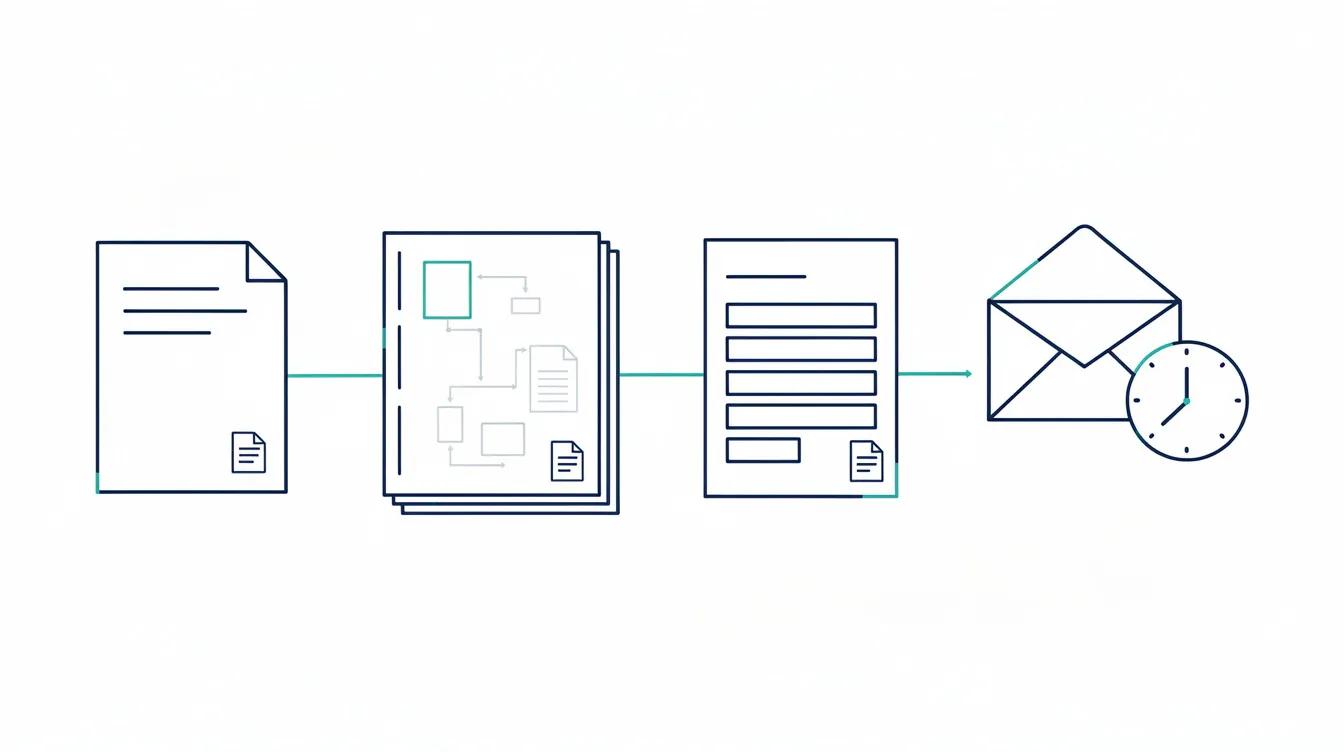
Template consistency also matters here: the same transmittal format should carry company branding where appropriate and include a signature line for recipient acknowledgment when the project requires signed receipt. It should also meet client and ISO requirements.
4. How to run a document transmittal workflow correctly
Define the transmittal fields
U.S. Army Corps of Engineers (USACE) ENG Form 4025 illustrates one contractor-to-USACE submittal-transmittal process. It includes identifiers, contract references, submittal types, action codes, resubmittal handling, remarks, and signatures. It does not define a universal capital-project schema. UFGS 01 33 00 also shows that the form and system implementation are tailored to the project. The remaining fields below are project-design recommendations. The transmittal lifecycle generally moves through four primary stages: creation, authorization, transmission, and review.
| Field name | Purpose |
|---|---|
| Transmittal number | Project-defined identifier used for cross-reference |
| Project name and number | Ties the record to the correct project and contract scope |
| Sender organization and contact | Identifies the issuing party and contact |
| Recipient organization and contact | Identifies the intended recipient; compare it with the approved distribution matrix |
| Issue date | Records the issue date for the agreed workflow |
| Response required by date | Records the project-defined response date, when applicable |
| Purpose of issue code | Records the project's defined issue purpose |
| Document number(s) | References each document by its unique identifier in the master document register |
| Document title(s) | Provides a human-readable description alongside the document number |
| Revision number(s) and issue status | Identifies the issued state; use a separate supersession link where required |
| Number of copies or files | Records quantity issued, supporting reconciliation if a recipient claims incomplete receipt |
| Transmission method | Records the channel used; retain separate channel evidence when delivery must be proved |
| Remarks or special instructions | Captures any constraints, partial issues, or conditions the recipient must act on |
| Receipt or response evidence | Records the event the agreed workflow treats as receipt or response; do not equate it with technical approval |
Adapt the transmittal model to the project documents
The contract, project information requirements and project document-management plan define the required fields, purpose codes and approval roles for packages in scope. They may also establish response times, identifiers, acknowledgment methods, reissue rules and retention periods. Response and turnaround times may also be defined through Service Level Agreements for review cycles.
One project-specific setup sequence begins with mapping the project distribution matrix to the contract. The document controller then configures metadata fields and purpose codes within the document management system to match the Master Document Register. Finally, the project team defines routing, escalation and human approval rules.
Purpose codes such as For Review or For Construction are not universal. Define each code, permitted use and consequence in the project document-management plan. Validate the resulting model with the accountable roles before the first controlled issue so it aligns with the wider project management process.
Assign roles, approvals and decision rights
Roles and decision rights vary by contract and project plan, and often include project managers as well as document control staff. Assign who assembles the package, checks revisions against the MDR, authorizes release, issues the package, logs receipt and manages the response, including routing packages to the design team, vendors, or other stakeholders depending on the contract. Test those responsibilities with the actual project roles before rollout.
Define who can correct a transmittal after issue. A correction should preserve the original evidence, identify the reason, record the actor and follow the project's reissue or amendment rule and documented procedures. Silent replacement of the cover sheet or package breaks the relationship between what recipients saw and what the register later reports.
Follow the workflow step by step
- Verify against the MDR. Confirm the revision control numbers, issue status, and file identity and readability for each document in the package to prevent outdated drafts from being used. Confirm that each required file opens and matches the listed deliverable.
- Apply the purpose of issue code. Select a purpose code defined by the project and confirm its meaning for the submission.
- Check the distribution matrix. Confirm the correct recipient list against the matrix; adding or removing a party at this step requires a documented reason, especially when documents must be distributed across multiple parties.
- Generate the transmittal cover sheet. Populate all required fields, including the following information: sender and recipient details, transmittal number, date, purpose, document information, revision status, purpose code, and response-required date.
- Obtain internal approvals. Route for any release authorizations defined in your approval matrix before the package leaves the organization.
- Issue the package. Transmit through the agreed platform, email, physical delivery, or fax, and retain the evidence required by the project. With automation, the team can generate the transmittal package, add attachments, and speed document distribution.
- Log the transmittal. Record the transmittal number, issue date, recipient, and expected response date in the transmittal register for tracking transmittals. The receiving organization logs the package and assigns a lead reviewer for evaluation.
- Monitor for response. Flag overdue items when the response date passes and issue a formal reminder against the original transmittal number.
- Record receipt and exceptions. Link the acknowledgment or delivery event to the original transmittal entry, and record any partial-delivery exception.
- Record technical response and closure. Link comments or returned documents to the original issue, close the response only under the project's rules, and update the MDR only if the defined workflow changes document status. Both parties archive the final transmittal record in their Document Management Systems after review.
Before rollout, test multiple revisions, a rejection and reissue, and a partial acknowledgment. Compare the notification, cover sheet, register and MDR using both administrator and expected contractor permissions. They should identify the same documents, revisions and purpose of issue. Automation can reduce manual package preparation and follow-up. Measure turnaround time and staff effort against the project's baseline before claiming savings.
Link responses to the original issue
Every acknowledgment, marked-up set, submittals, or comment register, including marked-up returns, should reference the originating transmittal number so the exchange remains retrievable.
Track comments and audit trail by document revision
Record each comment and response against the relevant document revision and review cycle, with comments tied to the specific review tasks for that revision and cycle. Package-level logging alone can separate comments from the revision they concern.
Cross-reference reissues
When a document is reissued, follow the project's identifier rule and cross-reference the earlier transmittal. This preserves the relationship among issue, comments, resolution and reissue.
Manage rejected, late or withdrawn packages
Record the rejection reason against the transmittal, notify the originator through the agreed channel and follow the project's reissue rule. If the rejected package included drawings, specifications, or contracts, note that in the record so the corrective reissue is clear. Use a new transmittal number only when the identifier procedure requires one. Cross-reference the rejected issue, corrective response and reissue.
Late responses introduce a subtler risk because the transmittal can appear open without triggering alarm. Log the overdue status explicitly against the record, escalate per the project communication plan, and capture any agreed extension date in the register. An undocumented verbal extension is effectively invisible to anyone auditing the file later.
For a withdrawn transmittal, apply the project's withdrawal status and notification procedure. Where documents were issued for field use, including plans or shop drawings, record the actions taken to identify and withdraw affected copies. Do not treat a status change alone as proof that every recipient stopped using the package.
Monitor performance without inventing benchmarks
The four metrics worth monitoring consistently are those where reporting discipline keeps the focus on a few consistent measures that show workflow status and project progress, especially when those metrics are tied into automated document workflows for review and approval:
- Open transmittals awaiting acknowledgment: every package for which acknowledgment is required but not yet recorded
- Overdue responses: every package past its project-defined response date
- Rejected or voided items: count and rate by recipient, document type and cause
- Acknowledgment time: elapsed time from the recorded issue event to the recorded acknowledgment event
Establish a project baseline, document the calculation, and compare open, overdue, and closed records on the same workflow status basis across like-for-like phases. Do not import an external benchmark without its method and scope.
Document management system and transmittal software evaluation checklist
Checklist for Document Management Systems
- Identifier rules, duplicate prevention, and an authorized correction process for document control
- Configurable purpose of issue codes matched to your project code library
- Distribution rules for document distribution and a logged process for authorized recipient changes
- Bulk attachment of multiple documents with revision-level selection
- Automated acknowledgment reminders with configurable escalation intervals
- Response and comment tracking linked directly to the originating transmittal record
- MDR integration or structured export for register alignment
- Preservation of the exact revision and metadata issued
- Audit history for the events required by the project
- External access model, licensing, permissions, security, and revocation
- PDF export producing dated, point-in-time PDFs
- Search and filter across the full transmittal register by status, recipient, discipline, or revision
- Support for document transmittals with tools for transmittal letter generation, cover sheets, and workflow automation
Centralized Data Environment and Integrations
- Use of a Common Data Environment to centralize transmittals and maintain automatic audit trails, including integrations with third‑party business solutions where required
Where the platform fits
AODocs engineering and construction documentation describes configurable metadata, document lifecycles, workflows, permissions and version management for broader project and business document workflows. For an overview of platform capabilities, licensing and support, consult the AODocs frequently asked questions. The Veolia Water Technologies case study reports a configured transmittal-basket process with review, annotation and approval history, including creating standardized transmittal templates or cover sheets within the system. That customer-specific configuration is not a universal module. Confirm licensing, external access, integrations and project configuration; the platform supports document exchange but should be evaluated against client requirements and compliance needs, and it does not replace scheduling, cost control, BIM authoring or field execution, and should be deployed within the documented system and browser requirements for AODocs.
Request a demo or explore the AODocs REST API documentation if you need to automate parts of the transmittal process programmatically.
Frequently asked questions
What is the difference between a transmittal and a submittal?
A transmittal records a controlled issue of documents. A submittal is a formal submission package sent for review or approval and may include a transmittal record. The contract and project document-management plan define the direction, responsibilities and evidence required for each process.
What are the essential parts of a transmittal letter?
For a controlled capital-project issue, record the project and transmittal identifiers, sender, recipients, issue date, document list and revisions, purpose, required response and relevant instructions. Link the issued package and receipt evidence. The contract and project document plan define the mandatory fields and codes; a sample form is not a universal template.
Does acknowledging a transmittal mean the documents are approved?
No. Receipt acknowledgment records receipt; technical approval is a separate decision by the authorized reviewer. Preserve the issued revision, recipient event and approval action as separate records. USACE ENG Form 4025, for example, distinguishes receipt acknowledged from approved actions. Apply the action definitions agreed for your own project.
How should a rejected or partially received transmittal be handled?
Record the rejected or missing items, exact document revisions, reason, responsible party and required response against the original issue. Preserve the original package and evidence. Follow the project procedure for correction or reissue, cross-reference the earlier transmittal and reconcile affected MDR records. Do not overwrite the issue history or mark a partial receipt as full acceptance.