AI
Why Teams Are Replacing OCR and Manual Data Entry with AI Document Processing

Industry Lead, Capital Projects, AODocs · Feb 19, 2026 · Updated Oct 6, 2026
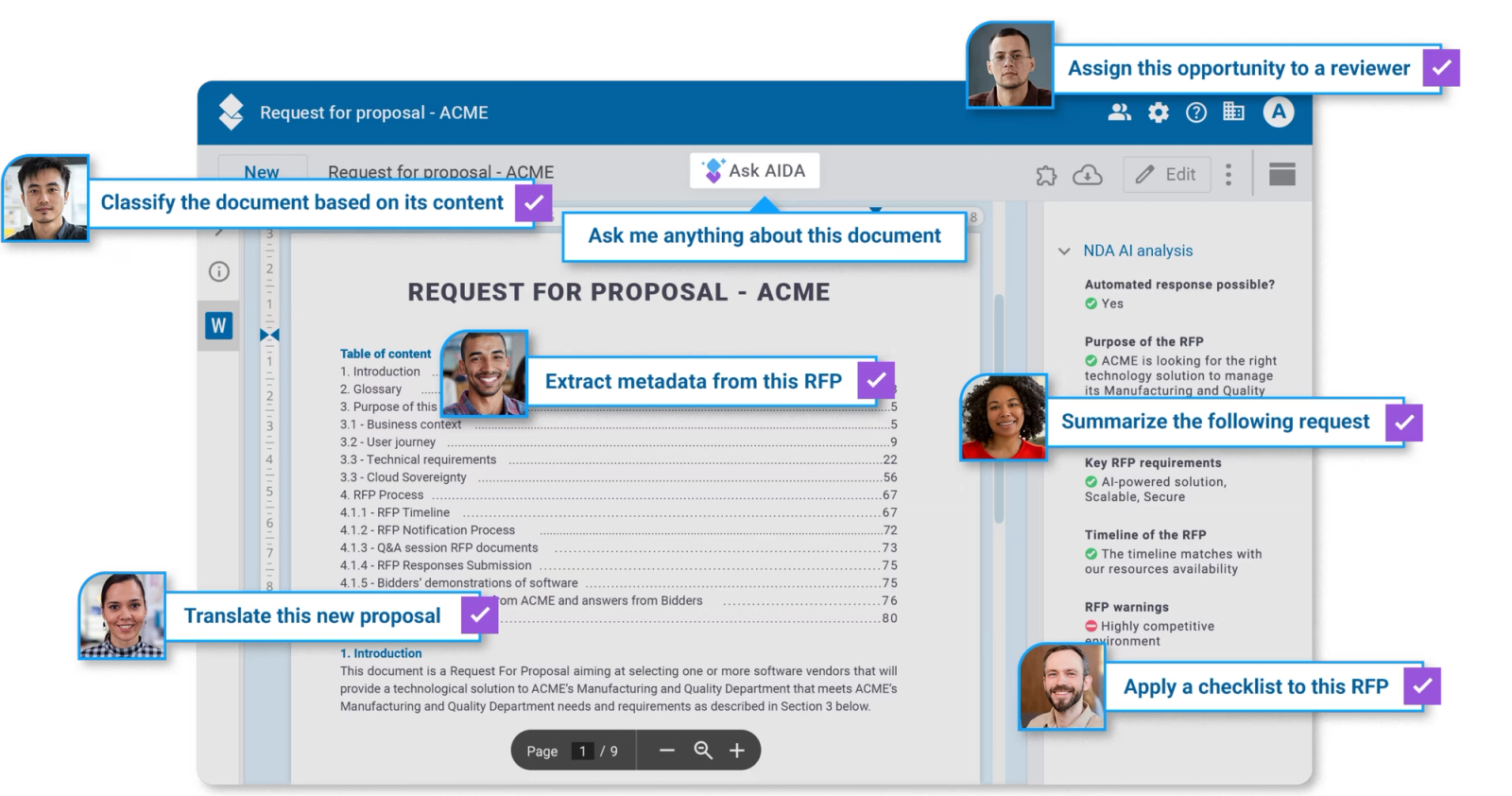
OCR converts scanned documents into machine-readable text. AI-powered Intelligent Document Processing (IDP) can build on that text to classify documents, extract data, flag exceptions, and route information. The workflow still needs validation and human review appropriate to the business decision.
For years, companies have used Optical Character Recognition (OCR) to convert scanned documents into machine-readable text. Extracting fields and interpreting their meaning requires additional processing beyond character recognition.
Document capture tools require implementation and validation suited to the document types, layouts, and workflow. Assess setup and review effort against representative files rather than assuming one cost profile for every OCR product.
OCR quality depends on the document and image quality, while field extraction and interpretation add their own requirements. Test varied layouts and scans against the information the workflow needs.
Invoices, contracts, medical records, and agreements arrive in many formats and layouts. Recognized text alone does not establish that the right metadata has been extracted; field values and document context still need validation.
Document capture can still require manual review, correction, and transfer to downstream systems. Different approaches to narrow AI should be evaluated on the document types and workflow they support, rather than treated as interchangeable.
But when the business environment changes and accelerates, no progress means falling behind.
Manual review and re-entry can create document-processing bottlenecks. Digital document organization affects office work. Planning should consider document volumes and variability in each workflow, including the effort needed to check uncertain or incomplete data.
AI-enabled document processing changes that equation entirely. By combining the latest AI capabilities, machine learning, and natural language processing, real Intelligent Document Processing (IDP) automatically classifies documents, extracts key data, flags exceptions, and routes information with minimal human intervention.
Human review should be defined for uncertain results and business-critical decisions. The workflow must specify who can approve extracted information and when a case is escalated.
Teams move from basic digitization to reliable, scalable automation.
Where does AI document processing make a difference?
From the mailroom to the boardroom, Ai-enabled processing is quietly eliminating the document bottlenecks that slow teams down most. The gains show up wherever documents are critical to getting work done. The teams with the most to gain are often the ones still spending the most time on manual review. Here’s where the shift is happening first:
Procurement: Processing contracts and RFPs in minutes
Procurement teams deal with a constant flow of supplier proposals, tender documents, and purchase contracts.
AI can extract data such as pricing, delivery timelines, warranty terms, and sustainability criteria from RFPs and vendor responses for comparison. Procurement teams should verify the extracted values and source passages before using them in vendor selection; processing time depends on the documents and workflow.
Legal: Reviewing agreements without time-consuming and error-prone manual extraction
Legal and compliance teams face the dual pressure of thorough review and tight turnaround times.
AI can prepare a contract summary, extract metadata, and identify clauses for review against defined policies. A legal reviewer should verify the source text and decide whether an agreement is acceptable for signature. An automated score or suggested edit is not a finding of legal compliance.
Finance: Capturing loan application data with greater accuracy and speed
Manual processing of mortgage applications and loan documents is notoriously slow and error-prone. Here, new-generation AI-powered document processing transforms that process by automating document capture, validation, and financial data extraction across income statements, tax returns, and application forms.
Automated completeness and consistency checks can help prepare a loan file for review. The team must verify exceptions and required evidence; those checks do not establish compliance or replace the credit decision.
The aim is to reduce repetitive file preparation while retaining review and credit-decision responsibilities. Beyond these three domains, automated document processing delivers meaningful impact across a wide range of industries and workflows. Whatever the use case, IDP is worth evaluating in the functions where document volume, complexity, and business risk converge:
- Retail
AI-powered sentiment analysis of customer complaints, automatic query classification, and instant policy-aligned response drafts — turning hours of manual form processing into a streamlined, consistent customer experience.
- Banking & Insurance: Automated claims handling, application verification, and document organization for faster, more accurate operations.
- Healthcare: Patient data checks, form routing, and draft summaries for clinical and administrative review. Required safeguards and regulatory responsibilities must be assessed for the use case.
- Government: Faster application processing with AI-assisted verification, document organization, and caseworker summaries for more effective decisions.
- Sales: Automated RFP response generation and requirement extraction, with intelligent routing to the right team members.
- Accounting: Invoice data extraction and routing to the designated reviewer; matching exceptions and approval decisions remain part of the configured process.
AI in Process Automation: Can it become a competitive advantage?
Combining OCR with AI document processing can change how teams prepare and review documents. The following are areas to evaluate in a pilot, rather than outcomes every workflow will achieve:
Faster turnaround times: Classification, extraction, and draft summaries can reduce some manual handling. Measure processing and correction time on representative documents, including failed or uncertain results.
Focus on valuable decision-making: When AI handles repetitive, low-value tasks, classification, extraction, summarization, first-level review — your team’s time and attention shifts to the complex, high-impact work that actually requires human judgment.
Scale with confidence: Document volumes fluctuate. Test throughput, exception handling, and review capacity at expected peaks. IDP does not ensure consistent performance or compliance regardless of volume.
Better customer experiences: Reducing document-processing delays can help service workflows. Evaluate response times, corrections, and review effort against the applicable service commitments.
Flexibility across document layouts: A new supplier or form layout can change extraction requirements. AI-based processing may reduce reliance on fixed templates, but the new document set still needs testing against the required fields and business rules.
AI document processing can interpret varied layouts, including invoices, contracts, and records. That capability does not remove validation: test required fields, tables, and exceptions whenever the document set or workflow changes.
Tying it all in: How to have a whole that’s bigger than the parts?
AI-driven processing and automation doesn’t operate in isolation. It’s most powerful as part of a connected, end-to-end document intelligence strategy.
Once documents are processed, classified, and enriched with structured data, the next step is putting that knowledge to work. That’s where AI Agents and Knowledge Management come in, enabling teams to query, surface, and act on document insights through intelligent assistants that know your content, your context, and your business rules. Document processing feeds the knowledge layer; the knowledge layer powers smarter decisions.
And that’s only one dimension of a modern document management strategy. Two more pillars complete the picture:
- Secure external document portals: Share files and collect submissions from external partners through configured portals with document permissions and traceability. The process must define how updates and participant access are managed.
- Modern Document Management with workflow automation: Control projects, cases, and document sets with metadata, versioning, and configured workflows. Connections to SAP, Salesforce, or other business applications require a supported connector or API implementation, permission mapping, and validation of the intended document flow.
Together, IDP, AI-powered knowledge management, secure external portals, and modern document management form a complete foundation for how forward-thinking organizations handle their most critical information asset: their documents.
New-Generation document management systems such as AODocs bring all three pillars together in a single platform, giving teams the tools to process documents intelligently, manage them securely, and act on them confidently.
Learn more
Frequently asked questions
Is OCR obsolete?
No. OCR remains useful for obtaining text from scans and can be combined with AI document processing. Google Document AI, for example, describes a Form Parser that extracts fields and tables in addition to OCR text. Recognizing characters and interpreting document content for a defined workflow are different functions; replacing manual entry does not necessarily remove OCR.
How should extracted data be checked before it enters a workflow?
Check extracted fields against the source document and the workflow’s required format, completeness, and business rules. Route uncertain values, missing information, and conflicting data to a reviewer. Test varied layouts and poor-quality scans before scaling the process. Automation should not turn an unverified extraction into an approved business decision.
Can a new document layout be processed without testing?
A new layout still needs validation, even when an AI model does not depend on a fixed template. Test representative files and confirm that required fields, tables, and exceptions are handled correctly. A system’s ability to interpret unfamiliar content does not prove that it meets the accuracy requirements of a particular workflow.